How Do I Change a Payment Method on a Plan?
Additional Information
| Before you start: This guide applies to active plans. You can either add a new payment method or select one you've already saved. Both options are covered below. Payble doesn't support editing an existing payment method. When your details change, such as a replacement card or new bank account details, a new payment method is created and assigned to your plan. The original stays stored against your profile unless you remove it. For more on how payment methods are stored, see Storing Payment Methods within Payble. |
Switch the card or bank account your active plan pays from, so future instalments come out of the right place without interrupting your plan.
Sign in using the exact same method you used when you set up your plan: your mobile, or your email if your council supports it. If you sign in a different way, you won't be able to see your plan.
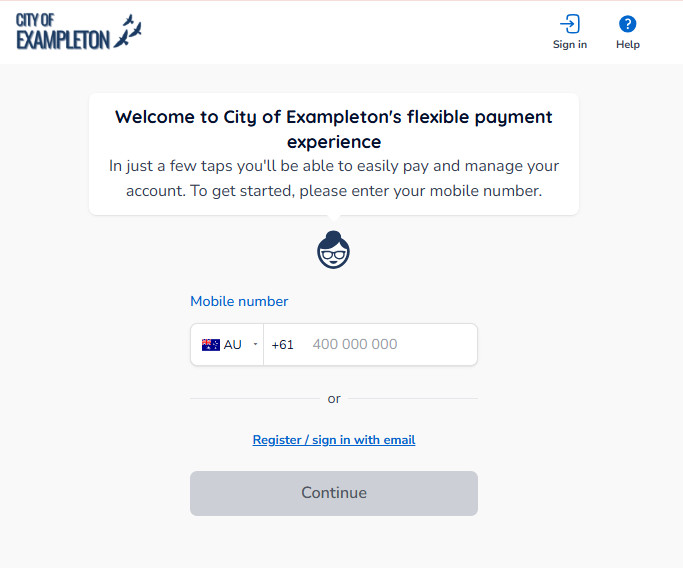
If your plans and payments don't appear straight away, click your council's logo at the top of the page or the Home button to return to your profile.
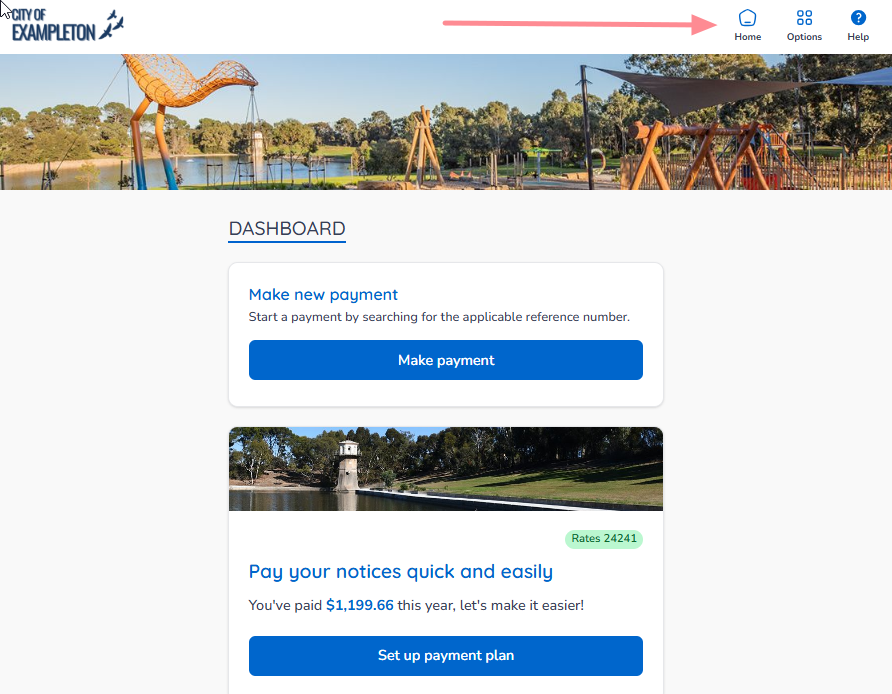
On a desktop or laptop browser
The Home button is on the top banner.
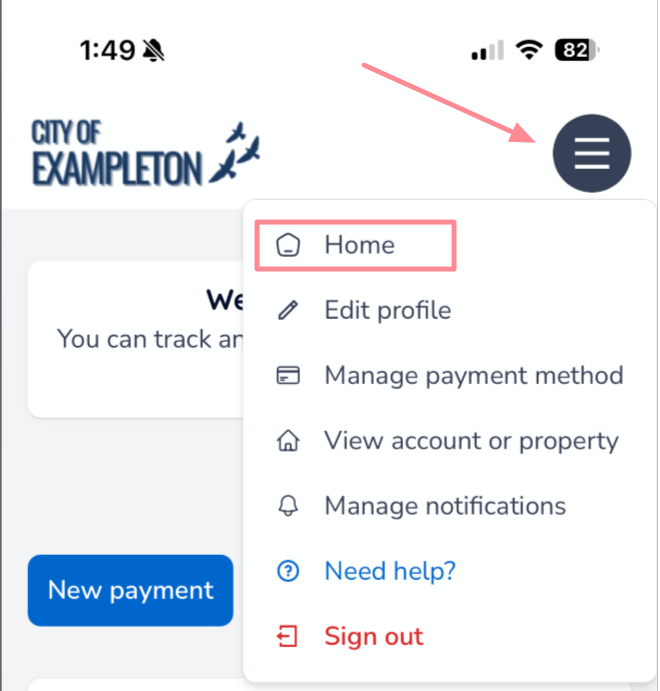
On a mobile or tablet browser
The Home button is under the menu button.
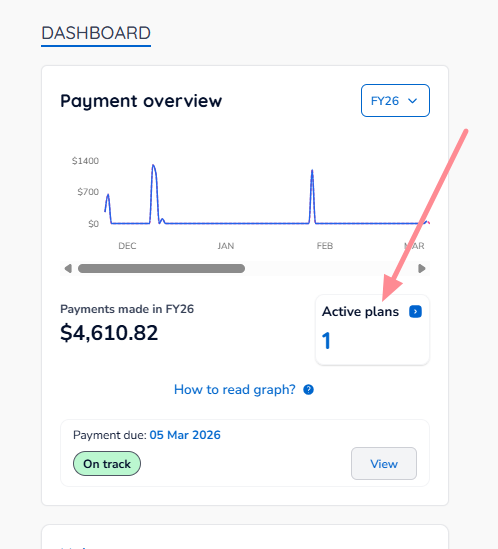
On your Home page, click the Active Plans box.
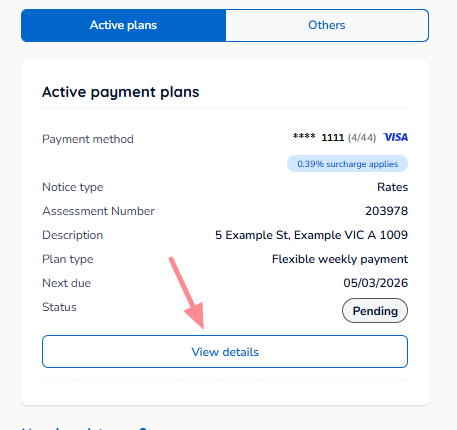
Scroll to the plan you want to change, then click View details.
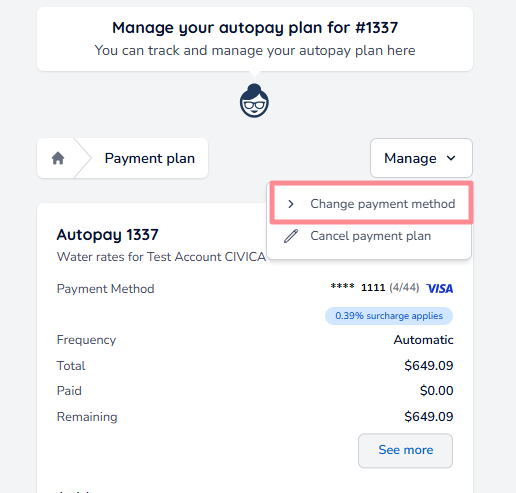
Click Manage, then Change payment method.
Once you've started the change in Phase 1, either add a new payment method (Option A) or select one you've already saved (Option B).
Option A — Add a New Payment Method
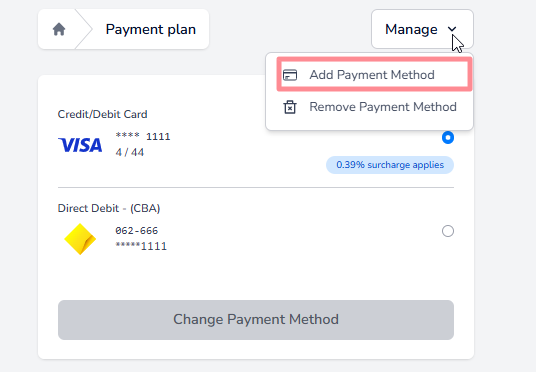
Click Manage, then Add Payment Method.
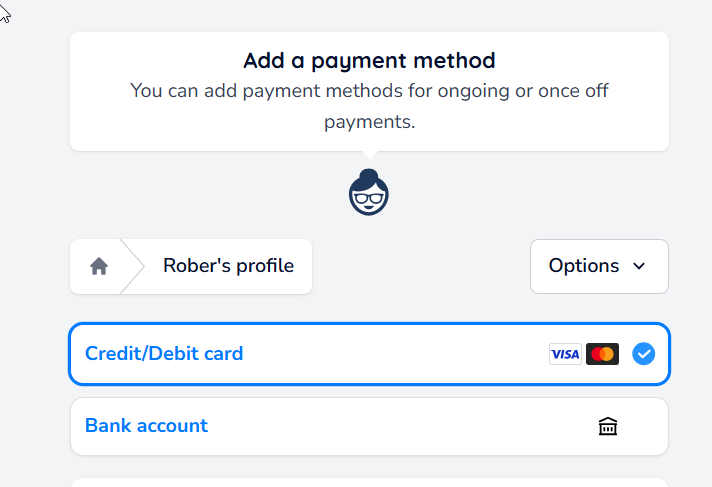
Choose whether to add a Credit/Debit Card or a Bank account.
Use the toggle to add the new payment method to all your active plans automatically, or to specific plans only.

Fill in your payment details, then click Acknowledge and continue.
| Tip: If you turned the toggle on in Step 3, you can skip Step 5. The new payment method is assigned to your plans automatically. |
Select the new payment method, then click Change Payment Method to finalise. All future payments will be made using this payment method.
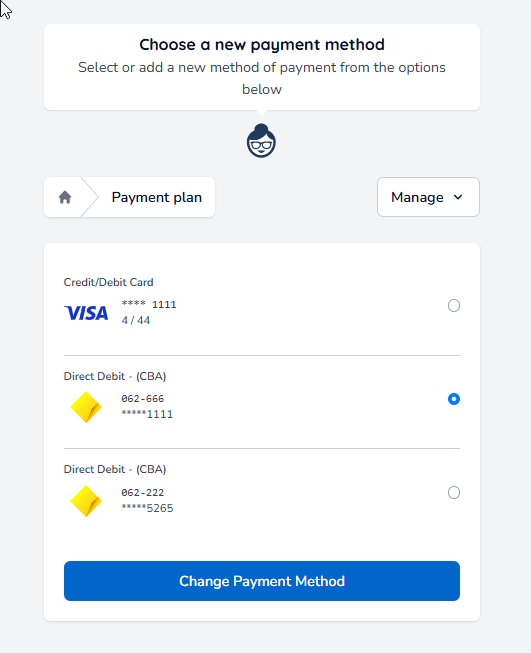
Option B — Select an Existing Payment Method
After clicking Change payment method, you'll see the saved payment methods available to use, including any surcharges that apply.

Select the payment method, then click Change Payment Method to finalise. All future payments for this plan will be made using this payment method.
Was this article helpful?
That’s Great!
Thank you for your feedback
Sorry! We couldn't be helpful
Thank you for your feedback
Feedback sent
We appreciate your effort and will try to fix the article